
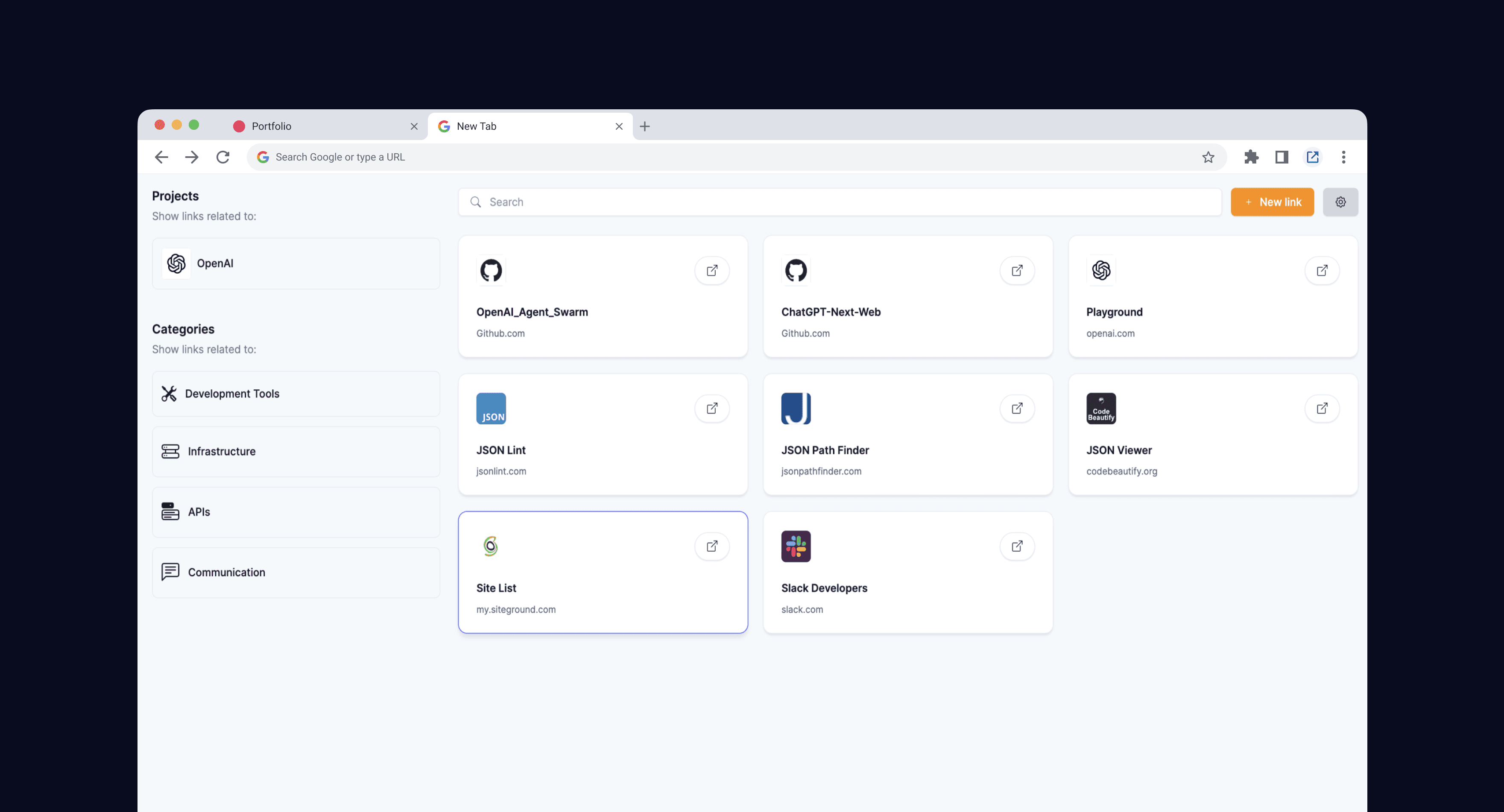
A Chrome extension that replaces the new tab page with a visual grid of your links, filtered by the project you're actually working on.
The link you need is never the one it shows you
This one came from pure daily friction. When you run a studio, you live across the same few platforms (GitHub, Heroku, Siteground, Figma) but spread across a dozen different projects, and the specific thing you want is always buried a few clicks deep inside one of them. The repo for this client's API. The Heroku dashboard for that app. Browsers are no help here: bookmarks pile up into unscannable lists, and the new tab page proudly shows you whatever you've opened most or most recently, which is almost never the thing you need next. I wanted the opposite - to open a tab, click the project I'm in, and see only the handful of links that belong to it.
A new tab that follows your projects
So that's what TabbyLinks.io does. It takes over the new tab page and shows your links as a visual grid rather than a text menu. You pick a project from the side and the grid filters down to just that project's links. You name each one whatever actually makes sense to you - the repo name, the app name - instead of whatever title the page happens to carry. The links themselves come from a plain spreadsheet you point it at, which kept the whole thing refreshingly low-maintenance: no account, no login, everything stored locally in the browser.
The smallest part, and my favourite
The bit I enjoyed most was the smallest. A grid of links is only scannable if you can recognise things by sight, so each link needed its logo. Rather than hunt those down by hand, I built a tiny companion service that fetches and caches domain icons automatically, so when you add a new link its logo just appears. It's a modest piece of plumbing for what is, honestly, a modest tool, but it's the difference between a wall of text and something you can read at a glance.
Done, not dead
I built it deliberately lean (vanilla JavaScript, no heavy framework, the simplest hosting that would do the job), with Nourz1234 doing most of the implementation on the extension itself. It did exactly what I needed it to, I used it happily, and then, like a lot of good personal tools, it settled into "done". It's dormant now rather than dead: the obvious next steps, Firefox and Safari versions and importing straight from your existing bookmarks, are written down for whenever it's worth picking back up. Not every project needs to become a company. Some just need to fix the annoyance you built them for.